Haunting Memories
Side Project
- Contributions:
- Puzzle Design
- Puzzle System Programming
- Respawn, among other technical gameplay features
- Overall Game Design
A psychological horror game where you puzzle through an old mansion to discover your forgotten past. This was the first project of more extensive character that I had been part of, in order to build experience and skills, and creating a full game from start to finish. This challenged med to level up my programming, as well as stay on track by constantly communicating with our team of 8 people. This project introduced me to the tricky nature of puzzle design, as well as the fun of composing creative ways to implement smaller technical design elements.
Typewriter Password
This system enables players to interact with a typewriter-style interface, where they can input a password via a UI panel. When the correct password is entered, an animation (e.g., a door opening) is triggered, along with an accompanying sound effect. The system also pauses gameplay while the UI is active and resumes it when the UI is closed.
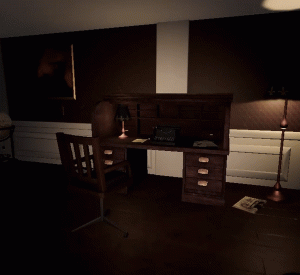
- Password Handling: Players can input a password through a
TMP_InputField, which is verified against a predefined value. - UI Activation: A UI prompt appears when the player enters a trigger zone, indicating that the typewriter can be used.
- Animations and Sounds: Successful password entry triggers an animation and plays a sound effect.
- Pause Functionality: Gameplay is paused when the typewriter UI is active and resumes when it is closed.
using TMPro;
using UnityEngine;

public class InputFieldText : MonoBehaviour
{
    [SerializeField] private GameObject inputUI;
    private bool typeWriterOpen = false;
    private TMP_InputField inputField;
    private TMP_Text openTypeWriterText;
    [SerializeField] private string password = "Baal";
    [SerializeField] private Animator _doorAnim;

    public bool TypeWriterOpen { set { typeWriterOpen = value; } }

    private void Awake()
    {
        openTypeWriterText = transform.Find("OpenTypeWriterText").GetComponent<TMP_Text>();
        inputField = transform.Find("TypeWriter").GetComponent<TMP_InputField>();
        EnableOpenText(false);
    }
    void Start()
    {
        if (openTypeWriterText == null || inputField == null) Debug.LogWarning("Missing components");
        openTypeWriterText.enabled = false;
        inputField.gameObject.SetActive(false);
        inputUI.SetActive(false);
    }

    void Update()
    {
        //If enter is pressed, take in the given password and check if it's correct
        if (Input.GetButtonDown("Submit"))
        {
            if (ControlPassword())  //If password is correct, resume.
            {
                inputField.gameObject.SetActive(false);
                openTypeWriterText.text = "";
                Time.timeScale = 1;
                this.enabled = false;

                _doorAnim.Play("Base Layer.Door_Open_CW");
                _doorAnim.transform.Find("DoorOpenAudioSource").GetComponent<AudioSource>().Play();
            }
            else    //reset the inputfield
            {
                inputField.text = "";
                inputField.ActivateInputField();
            }
        }

        //If "Click ctrl" is visible, make it possible to toggle open inputfield with ctrl.
        if (Input.GetKeyDown(KeyCode.LeftControl) || Input.GetKeyDown(KeyCode.Escape))
        {
            if (openTypeWriterText.enabled == true && !Input.GetKeyDown(KeyCode.Escape))
            {
                OpenInputField();
            }
            else if (inputField.gameObject.activeSelf)
            {
                CloseInputField();
            }
        }
    }

    bool ControlPassword()  //Check if the password is correct.
    {
        return inputField.text.ToLower() == password.ToLower();
    }

    public void EnableOpenText(bool open)
    {
        if (open == true)
        {
            openTypeWriterText.enabled = true;
        }
        else
        {
            openTypeWriterText.enabled = false;
            inputUI.SetActive(false);
        }
    }
    public bool IsTypeWriterOpen()
    {
        return typeWriterOpen;
    }
    private void OpenInputField()
    {
        //Activate the inputfield
        inputUI.SetActive(true);
        openTypeWriterText.enabled = false;
        inputField.gameObject.SetActive(true);
        inputField.text = "";
        inputField.ActivateInputField();
        inputField.Select();
        Time.timeScale = 0; //Pause the game
        typeWriterOpen = true;
    }
    private void CloseInputField()
    {
        inputField.gameObject.SetActive(false);
        EnableOpenText(true);
        Time.timeScale = 1;
        typeWriterOpen = false;
    }
}
using UnityEngine;

public class TypeWriterScript : MonoBehaviour
{
    [SerializeField] GameObject typeWriterUI;
    InputFieldText iftext;

    void Start()
    {
        iftext = typeWriterUI.GetComponent<InputFieldText>();
        if (iftext != null)
        {
            iftext.EnableOpenText(false);
        }
    }

    private void OnTriggerEnter(Collider other)
    {
        if (other.gameObject.CompareTag("Player"))
        {
            iftext.EnableOpenText(true);
        }
    }

    private void OnTriggerExit(Collider other)
    {
        //inputField.SetActive(false);
        if (other.CompareTag("Player"))
        {
            iftext.EnableOpenText(false);
            iftext.TypeWriterOpen = false;
        }
    }
}
Candle Ritual Puzzle
This system is designed to create a puzzle mechanic where players must find candles that are scattered around the room and place them on a pentagram. Solving the puzzle triggers a door-opening animation and a sound effect, allowing players to progress further in the game.
- Dynamic Candle Placement Tracking: The system dynamically identifies all candle spots at runtime and tracks their states in an array of booleans.
- Puzzle Solving Logic: Continuously monitors candle states, and when all spots are occupied, the puzzle is marked as solved.
- Feedback System: Completing the puzzle triggers a door-opening animation and plays a sound effect, providing clear feedback to the player.
- Integration with Other Systems: Exposes a public method to check if the puzzle is solved, enabling integration with broader gameplay mechanics.
using System.Collections.Generic;
using System.Linq;
using Unity.VisualScripting;
using UnityEngine;

public class PentagramScript : MonoBehaviour
{
    public List<bool> candlePlaced = new List<bool>();
    bool[] litCandles;
    bool pentagramDone = false;
    List<GameObject> list;
    void Start()
    {
        //Go through all child objects, set them as trigger and add component "CandlePlaces"
        //litCandles is an array of bools, if all bools are true, the puzzle is solved.
        list = new List<GameObject>();

        foreach(Transform child in transform)
        {
            list.Add(child.gameObject);
            Debug.Log(child.name);
        }
        litCandles = new bool[list.Count];

    }
    private void Update()
    {
        if (!pentagramDone)
            checkRends();
    }
    //Is called in CandlePlaces when a candle-object triggers the candleplace.
    public void checkRends()
    {
        for(int i = 0; i < list.Count; i++)
        {
            Transform child = list[i].transform.GetChild(0).GetComponent<Transform>();
            if (child.gameObject.activeSelf)
            {
                litCandles[i] = true;
            }
        }
        if (!litCandles.Contains(false))
        {
            pentagramDone = true;

            transform.parent.parent.Find("Walls").Find("WallWithDoor").Find("Interactee_LockedDoor1").GetComponent<Animator>().Play("Base Layer.Door_Open_CW");
            transform.parent.parent.Find("Walls").Find("WallWithDoor").Find("Interactee_LockedDoor1").Find("DoorOpenAudioSource").GetComponent<AudioSource>().Play();
        }
    }
    //Call this in other scripts to know if the puzzle is solved.
    public bool solvedPentagram()
    {
        return pentagramDone;
    }
}
Respawn
This system ensures that the player is respawned at a designated location after falling into a trigger zone. The respawn point can be dynamically updated during gameplay, allowing for flexible checkpoint mechanics. A short delay is implemented before respawning to enhance immersion.
- Trigger-Based Respawn: When the player enters a specified trigger zone, they are moved to a predefined respawn location.
- Dynamic Respawn Points: Respawn points can be changed during runtime, allowing for checkpoint systems or updated spawn locations.
- Delay Mechanism: Includes a configurable delay before respawning to enhance realism or gameplay pacing.
- Sound Feedback: Plays an audio cue when the respawn process begins, providing feedback to the player.
- Modular Design: The script supports assigning different respawn locations and players via the Unity Inspector.
using System.Collections;
using UnityEngine;

public class Respawn : MonoBehaviour
{
    //Respawns player when touching the object that this script is attached to.
    //Put empty object where the player should respawn.
    //Drag Character to inspector to assign player.
    //Drag the empty object to inspector to assign the spawning position.

    [SerializeField] public Transform respawnPosition;
    [SerializeField] public GameObject player;
    [SerializeField] protected float _respawnDelay = 1.5f;
    [SerializeField] public Transform alternateRespawnPosition;

    private void OnTriggerEnter(Collider other)
    {

        if (other.tag == "Player")
        {
            StartCoroutine(RespawnDelay());
        }
    }

    protected virtual IEnumerator RespawnDelay()
    {
        player.transform.Find("RespawnAudioSource").GetComponent<AudioSource>().Play();

        yield return new WaitForSeconds(_respawnDelay);

        player.SetActive(false);
        player.transform.position = respawnPosition.position;
        player.SetActive(true);
    }

    //Make possible to change respawnpoint during runtime.
    public Transform ChangeRespawnPoint
    {
        get { return respawnPosition; }
        set { respawnPosition = value; }
    }
}