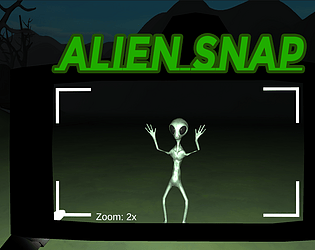
Alien Snap
GN! Game Jam 2024
- Contributions:
- Alien AI Behavior
- Game Design
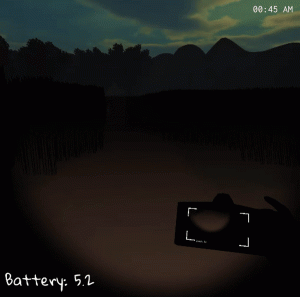
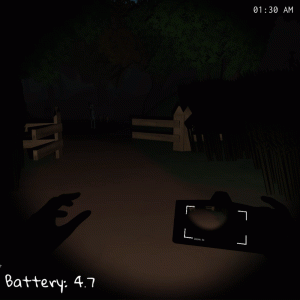
Snap pictures of aliens on your farm in order to sell them and make money. This game was made within the time frame of a week, with a team of 6 people, including 2 programmers. My main role was to develop the alien AI, which included movement, avoiding the player in certain ways, as well as learning how use gizmos to visually debug the aliens “view”.
Alien State Machine
The Alien State Machine system manages the behavior of an alien character by utilizing a state machine pattern. It allows the alien to transition between different states (like Standing, Walking, and Fleeing) based on the context, such as detecting a human or reaching a destination. This system provides clean, modular control over the alien’s actions and makes it easier to extend or modify its behavior.
- State Management: Uses a clear, structured state machine to manage the alien’s behavior (Standing, Walking, and Fleeing).
- Dynamic State Transitions: The system can transition between states dynamically during gameplay, ensuring fluid and reactive behavior.
- Context-Driven Logic: The system tracks shared data (like player detection) in a separate AlienContext class, allowing for easy state access and updates.
using UnityEngine;

/*StateMachine controls the states of the alien, transitioning between different behaviors*/
public class StateMachine : MonoBehaviour
{
    private AlienStates currentState;
    private AlienContext alienContext;  //Context contains shared data for the alien states.

    AFleeingState _fleeingState;
    AWalkingState _walkingState;
    AStandingState _standingState;

    public AFleeingState fleeingState => _fleeingState;
    public AWalkingState walkingState => _walkingState;
    public AStandingState standingState => _standingState;
    private void Awake()
    {
        var movement = GetComponent<AMovement>();
        var animator = GetComponent<AAnimController>();
        var playerAvoid = GetComponentInChildren<PlayerAvoid>();
        alienContext = new AlienContext(movement, animator, playerAvoid);

        _standingState = new AStandingState(this, alienContext);
        _walkingState = new AWalkingState(this, alienContext);
        _fleeingState = new AFleeingState(this, alienContext);
    }
    private void Start()
    {
        TransitionState(standingState);     //Start with the standingState by default.
    }
    private void Update()
    {
        //Update the current state and the context.
        if(currentState != null) currentState.UpdateState();

        alienContext.Update();
    }

    //TransitionState handles the transition between different Alien states.
    public void TransitionState(AlienStates state)
    {
        if (currentState == state) return;
        if(currentState != null) currentState.ExitState();
        currentState = state;
        currentState.EnterState();

    }

}
public abstract class AlienStates
{
    protected StateMachine stateMachine;
    protected AlienContext alienContext;
    protected AlienStates(StateMachine _stateMachine, AlienContext _alienContext)
    {
        this.stateMachine = _stateMachine;
        this.alienContext = _alienContext;
    }
    public abstract void EnterState();
    public abstract void UpdateState();
    public abstract void ExitState();

}
public class AlienContext
{
    public bool seenHuman { get; set; }     //indicates if the alien has detected a human
    public bool reachedDest { get; set; }
    public AMovement movement { get; }
    public AAnimController animator { get; }
    public PlayerAvoid playerAvoid { get; }
    public AlienContext(AMovement _movement, AAnimController _animator, PlayerAvoid _playerAvoid)
    {
        movement = _movement;
        animator = _animator;
        seenHuman = false;
        playerAvoid = _playerAvoid;

    }
    public void Update()
    {
        seenHuman = playerAvoid.HumanDetected();    //Update a bool to track if the alien sees the player
    }

}
public class AWalkingState : AlienStates
{
    public AWalkingState(StateMachine _stateMachine, AlienContext _alienContext) : base(_stateMachine, _alienContext)
    {
        alienContext = _alienContext;
    }
    public override void EnterState()
    {
        alienContext.movement.ChangeSpeed(3.5f);        //Set speed and animation for walking
        alienContext.animator.SetWalking(true);
        alienContext.movement.RandomRoamDestination();        //Find a new destination and start walking

    }

    public override void UpdateState()
    {

        if (alienContext.movement.caughtRunAway)  //If runAway is true, transition to fleeingstate.
        {
            stateMachine.TransitionState(stateMachine.fleeingState);
        }
        if (alienContext.movement.HasReachedDestination())      //Transition to standing state of the destination is reached.
        {
            stateMachine.TransitionState(stateMachine.standingState);
        }

    }

    public override void ExitState()
    {
        alienContext.animator.SetWalking(false);
    }
}
Alien Behavior
The Alien Movement System controls the movement and navigation of an alien character in the game. Using Unity’s NavMesh Agent, the system enables the alien to roam randomly, flee from the player, and avoid the player dynamically. This system allows for modular and context-driven movement behavior, making it adaptable to different AI needs.
- Dynamic Roaming: The alien selects random, reachable destinations within a defined radius and moves there using Unity’s NavMesh.
- Player Avoidance: The system allows the alien to detect and escape from the player, ensuring immersive and reactive AI behavior.
- Smooth Pathfinding: Uses Unity’s NavMesh to ensure smooth navigation and pathfinding to destinations.
- Animation Integration: The system triggers animations (like “spooked” animations) to create the desired experience when fleeing.
- Speed Control: Allows for speed changes during state transitions, letting states like “Fleeing” increase the alien’s speed.
using System.Collections;
using UnityEngine;
using UnityEngine.AI;

public class AMovement : MonoBehaviour
{
    private NavMeshAgent agent;

    public float restInterval = 5f;
    public float roamRadius = 10f;
    public float lastRoamTime = 0;
    public bool caughtRunAway = false;
    AAnimController animController;

    NavMeshPath movePath;
    GameObject player;
    public bool runAwayDone = true;    //Indicates if the alien finished running.

    [HideInInspector] public float realSpeed;
    Vector3 posOld;
    private Coroutine runAwayRoutine;
    private void Awake()
    {
        agent = GetComponent<NavMeshAgent>();
        animController = GetComponent<AAnimController>();
        player = GameObject.FindWithTag("Player");
    }
    void Start()
    {

        agent.stoppingDistance = 0.2f;
        posOld = transform.position;

    }

    private void FixedUpdate() {
        realSpeed = Vector3.Distance(transform.position, posOld) / Time.fixedDeltaTime;
        posOld = transform.position;
    }

    //RandomRoamDestination sets a random destination within the specified roam radius.
    //Ensures the destination is reachable on the NavMeshSurface
    public void RandomRoamDestination()
    {
        Vector3 randomDirection;
        NavMeshHit hit;
        NavMeshPath path = new NavMeshPath();
        bool reachableDestination = false;

        while (!reachableDestination)
        {
            randomDirection = Random.insideUnitSphere * roamRadius;
            randomDirection += transform.position;

            if(NavMesh.SamplePosition(randomDirection, out hit, roamRadius, NavMesh.AllAreas)) //If the hit position is on navmesh
            {
                if(agent.CalculatePath(hit.position, path) && path.status == NavMeshPathStatus.PathComplete)
                {
                    reachableDestination = true;
                    agent.SetDestination(hit.position);
                    agent.path = path;
                }
            }
        }

    }

    //FindEscapeDestination finds a destination to escape away from the player.
    //If close to the escape destination, the object is deactivated.
    public void FindEscapeDestination()
    {

        Vector3 escapeDirection = (transform.position - player.transform.position).normalized;
        Vector3 targetPosition = transform.position + escapeDirection;
        MakeRunAway();

        NavMeshHit hit;
        if(NavMesh.SamplePosition(targetPosition, out hit, roamRadius, NavMesh.AllAreas))
        {
            agent.SetDestination(hit.position);

        }
        if(Vector3.Distance(transform.position, hit.position) < 0.3)    //If the distance to the destination is less than X, then de-activate the object.
        {
            gameObject.SetActive(false);
        }

    }

    //Makes the alien run from the player.

    public void AvoidHuman()
    {
        float escapeDistance = 10f; //Desired distance to run

        Vector3 escapeDirection = (transform.position - player.transform.position).normalized;
        Vector3 targetPosition = transform.position + escapeDirection * escapeDistance;


        NavMeshHit hit;
        if (NavMesh.SamplePosition(targetPosition, out hit, escapeDistance, NavMesh.AllAreas))
        {
            agent.SetDestination(hit.position);

        }

    }
    //Triggers an animation and initiates fleeing logic.
    public void MakeRunAway()
    {
        if (runAwayRoutine != null) return;

        animController.TriggerSpooked();

        float rot = Vector3.Angle(Vector3.forward, player.transform.position - transform.position);
        transform.eulerAngles = new Vector3(0, rot, 0);
        runAwayRoutine = StartCoroutine(RunAway());
        caughtRunAway = true;
    }

    // Lets the states change the speed of the alien.
    public void ChangeSpeed(float speed)
    {
        if (agent == null)
        {
            Debug.Log("agent is null");
        }
        if (agent != null)
        {
            agent.speed = speed;
        }

    }
    IEnumerator RunAway()
    {
        yield return new WaitForSeconds(1f);
        caughtRunAway = true;
        runAwayRoutine = null;
    }
    //HasReachedDestination checks if the navmesh has reached its destination
    //by ensuring that the agent has stopped moving ans that the path is no longer pending.
    public bool HasReachedDestination()
    {

        if(!agent.pathPending && agent.remainingDistance <= agent.stoppingDistance)
        {
            if (!agent.hasPath && agent.velocity.sqrMagnitude == 0f)
            {
                return true;
            }
        }
        return false;
    }

}
PlayerAvoid
The Player Detection System allows the alien to “see” and respond to the player’s presence within a defined radius and field of view (FOV). By using an arc-shaped detection zone, the system tracks the player’s position relative to the alien and triggers context-based behavior, such as fleeing or avoidance. This system creates immersive and reactive AI behavior.
- Field of View Detection: The alien can “see” the player within a customizable radius and a defined angle, simulating vision-like perception.
- Player Avoidance: When the player enters the detection range, the alien triggers movement logic to flee or avoid the player.
- Dynamic, Real-Time Updates: The system constantly checks for the player’s presence and updates its status accordingly, ensuring a smooth, reactive experience.
- Visual Debugging: Uses Unity’s Handles to visualize the detection arc directly in the Unity editor, making it easier to debug and adjust detection parameters.
- Customizable Parameters: The detection radius and FOV angle are adjustable in the Unity Inspector, allowing for flexible, reusable AI behavior.
using UnityEditor;
using UnityEngine;

//Detects the players presence within a certain radius and triggers appropriate responce.
public class PlayerAvoid : MonoBehaviour
{
    AMovement movement;
    [SerializeField] Transform trigger;
    [Range(3f, 10f)]
    public float radius = 5f;
    [Range(0f, 180f)]
    public float arcAngle = 90f;     //Angle of the detection arc.
    bool inside;

#if UNITY_EDITOR
    private void OnDrawGizmos() //
    {
        if (trigger == null)
        {
            return;
        }
        Vector3 objPos = trigger.position;
        Vector3 origin = this.transform.position;

        //Display a red color if the trigger is outside the aliens "vision".
        //Otherwise, display a gren color.
        Handles.color = inside? Color.green : Color.red;

        //Visualize the detection arc in the editor.
        Handles.DrawWireArc(origin, Vector3.up, transform.forward, arcAngle, radius);
        Handles.DrawWireArc(origin, Vector3.up, transform.forward, -arcAngle, radius);

    }
#endif

    private void Start()
    {
        movement = GetComponentInParent<AMovement>();
    }
    private void Update()
    {
        DetectPlayer();
        if (inside)     //Trigger avoidance logic if the player is within the detection radius and arc.
        {
            movement.AvoidHuman();
        }

    }

    //Lets the alien "see" the player in order to perform desired behavior.
    private void DetectPlayer()
    {
        Vector3 origin = this.transform.position;
        Vector3 toPlayer = (trigger.position - origin).normalized;
        float dist = Vector3.Distance(origin, trigger.position);
        if (dist <= radius)     //Check if the player is inside the detection radius and within the correct angle from the aliens transform.forward.
        {
            float angleToPlayer = Vector3.SignedAngle(transform.forward, toPlayer, Vector3.up);
            inside = Mathf.Abs(angleToPlayer) <= arcAngle;
        }
        else
        {
            inside = false;
        }
    }
    public bool HumanDetected()
    {
        return inside;
    }
}