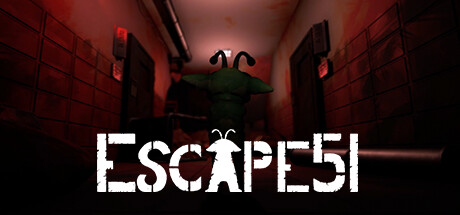
ESCAPE 51
School Project
- Contributions:
- Game Design
- Seamless Scene Loading
- Object Pushing
- Explosion effects
- Collecting Gameplay Footage
- Simple Unity Animations
- Shader Programming (that unfortunately did not make the cut)
A stealth game where you play as an alien with the ability to switch limbs in order to escape Area 51. This was our final school project, in which I got to wear many hats, something that I find enjoyable despite the challenge of having to get into disciplines that I had no prior experience of (e.g. shader programming).
Seamless Scene Loading
This script enables dynamic, seamless scene transitions by leveraging Unity’s additive scene management. When the player enters a trigger, it loads the specified scenes and unloads unnecessary ones, ensuring smooth transitions without performance drops.
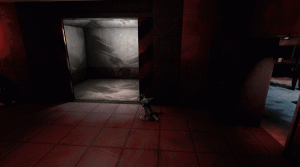
- Additive Loading: Efficiently loads scenes only when needed, avoiding duplicates.
- Scene Unloading: Unloads unneeded scenes to free up memory.
- Trigger-Based Activation: Automatically triggers loading and unloading when the player enters the collider.
- State Tracking: Ensures proper sequence of actions, enabling smooth animations or other post-loading actions.
using UnityEngine;
using UnityEngine.SceneManagement;

// Class handling async scene loading and unloading
public class SceneLoadTrigger : MonoBehaviour
{
    [SerializeField] private SceneField[] _scenesToLoad;
    [SerializeField] private SceneField[] _scenesToUnload;
    bool isSceneLoaded;
    bool loadCompleted;
    bool unloadCompleted;

    // Triggers scene loading and unloading when player enters the objects hitbox the script is attached
    to
    private void OnTriggerEnter(Collider col)
    {
        if(col.CompareTag("Player"))
        {
            LoadScenes();
            UnloadScenes();
        }
    }


    //Loads the scenes added to the list _scenesToLoad, adjusts bools accordingly
    private void LoadScenes()
    {
        for(int i = 0; i < _scenesToLoad.Length; i++)
        {
            isSceneLoaded = false;
            for(int j = 0; j < SceneManager.sceneCount; j++)
            {
                Scene loadedScene = SceneManager.GetSceneAt(j);
                if(loadedScene.name == _scenesToLoad[i].SceneName)
                {
                    isSceneLoaded = true;
                    break;
                }
            }
            if (!isSceneLoaded)
            {
                SceneManager.LoadSceneAsync(_scenesToLoad[i],
                LoadSceneMode.Additive);
            }
        }
        loadCompleted = true;
    }


    //Unloads the scenes added to the list _scenesToUnload, adjusts bools
    //accordingly
    private void UnloadScenes()
    {
        for(int i = 0; i < _scenesToUnload.Length; i++)
        {
            for (int j = 0; j < SceneManager.sceneCount; j++)
            {
                Scene loadedScene = SceneManager.GetSceneAt(j);
                if(loadedScene.name == _scenesToUnload[i].SceneName)
                {
                    SceneManager.UnloadSceneAsync(_scenesToUnload[i]);
                }
            }
        }
        unloadCompleted = true;
    }


    //Bool to use in order to play animation when the load/unload is done
    public bool Done()
    {
        bool done = loadCompleted && unloadCompleted;
        loadCompleted = false;
        unloadCompleted = false;
        return (done);
    }
}
Pushing Objects
This script system enables pushable object interactions and logic, ensuring smooth, direction-based movement while preventing overlapping or incorrect states. The InteractPushObject script handles push direction, blocking mechanics, and interaction toggling, while PushStop serves as a designated endpoint to manage stopping logic.
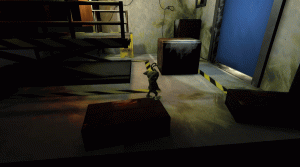
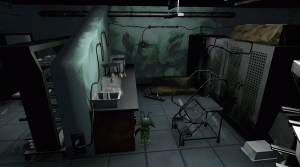
- Directional Setup: Automatically determines push direction based on object rotation.
- Collision Logic: Blocks opposite directions when objects encounter obstacles.
- Player Interaction: Ensures proper activation and deactivation of colliders for responsive gameplay.
- Push Termination: Triggers when an object encounters a “stop” zone.
- State Integration: Links to InteractPushObject for cohesive behavior.
using UnityEngine;

// Class handling push objects' interaction
public class InteractPushObject : MonoBehaviour, IInteract
{
    private Transform _rotationParent;
    private KeyCode _directionalKey;
    private Vector3 _pushDirection;
    private bool _blocked = false;
    private bool _active = true;
    private float _pushDistOffsetMultiplier = 0.7f; // Range of 0 to 1, 0 being halfway in the collider, 1 being at the edge of the collider

    public Transform RotationParent { get { return _rotationParent; } }
    public KeyCode DirectionalKey { get { return _directionalKey; } }
    public Vector3 PushDirection { get { return _pushDirection; } }
    public bool Blocked { get { return _blocked; } set { _blocked = value; } }
    public bool Active { get { return _active; } set { _active = value; } }

    // Checks which direction the push object should be pushed and updates variables accordingly
    private void Start()
    {
        _rotationParent = transform.parent;
        switch (_rotationParent.localRotation.eulerAngles.y)
        {
            case 0:
                _directionalKey = KeyCode.W;
                _pushDirection = _rotationParent.parent.forward;
                break;
            case 90:
                _directionalKey = KeyCode.D;
                _pushDirection = _rotationParent.parent.right;
                break;
            case 180:
                _directionalKey = KeyCode.S;
                _pushDirection = _rotationParent.parent.forward * (-1);
                break;
            case 270:
                _directionalKey = KeyCode.A;
                _pushDirection = _rotationParent.parent.right * (-1);
                break;
        }
    }

    public bool TriggerLogic(PlayerStateMachiene playerStateMachineScript)
    {
        playerStateMachineScript.ImportInfo = this;

        return false;
    }

    public bool TriggerLogic()
    {
        Debug.Log("Error exception: State machine logic");
        return false;
    }

    // Detects when an object enters the trigger on a pushable object,
    // & what kind of object in order to handle accurate logic.
    private void OnTriggerEnter(Collider col)
    {
        if (col.name == "PushStop")
        {
            col.GetComponent<PushStop>().InteractPushObject = this;
        }
        else if (!col.CompareTag("Player") && !col.CompareTag("PushThrough") && !col.CompareTag("CameraZone"))
            ToggleKey(true, col.name);  //Block interaction

    }

    private void OnTriggerExit(Collider col)
    {
        if (!col.CompareTag("Player") && !col.CompareTag("PushThrough") && !col.CompareTag("CameraZone"))
            ToggleKey(false, col.name); //Unblock interaction
        else if (!_active && col.CompareTag("Player"))
        {
            gameObject.tag = "Untagged";
            transform.GetComponent<Collider>().enabled = false;
        }
    }

    // Finds the opposite direction's transform for interaction
    private Transform OppositeTransform()
    {
        switch (_directionalKey)
        {
            case KeyCode.W:
                return transform.Find("../../S");
            case KeyCode.D:
                return transform.Find("../../A");
            case KeyCode.S:
                return transform.Find("../../W");
            case KeyCode.A:
                return transform.Find("../../D");
            default:
                return null;
        }
    }

    // Toggles blocking status for opposite interaction
    private void ToggleKey(bool block, string name)
    {
        Debug.Log("pushed into " + name);
        OppositeTransform().GetComponentInChildren<InteractPushObject>().Blocked = block;
    }

    // Disables interaction on the opposite side and moves the object
    public void DisableCollider()
    {
        InteractPushObject oppositeCollider = OppositeTransform().GetComponentInChildren<InteractPushObject>();
        oppositeCollider.Blocked = true;
        oppositeCollider.Active = false;

        if (oppositeCollider.transform.Find("../RotationParent"))
        {
            MoveObject move = oppositeCollider.transform.Find("../RotationParent").GetComponent<MoveObject>();
            move.Move();
        }
    }

    // Re-enables interaction on the opposite side
    public void ReEnableCollider()
    {
        InteractPushObject oppositeCollider = OppositeTransform().GetComponentInChildren<InteractPushObject>();
        oppositeCollider.transform.GetComponent<Collider>().enabled = true;
        oppositeCollider.Active = true;
        oppositeCollider.tag = "Push";

        if (oppositeCollider.transform.Find("../RotationParent"))
        {
            MoveObject move = oppositeCollider.transform.Find("../RotationParent").GetComponent<MoveObject>();
            move.ResetMove();
        }
    }

    // Returns true if the player is within the bounds of the colliders offset position
    public bool PushPosition(Vector3 playerPosition)
    {
        switch (_directionalKey)
        {
            case KeyCode.W:
                return playerPosition.z > transform.position.z - ((transform.lossyScale.z / 2) * _pushDistOffsetMultiplier);
            case KeyCode.D:
                return playerPosition.x > transform.position.x - ((transform.lossyScale.x / 2) * _pushDistOffsetMultiplier);
            case KeyCode.S:
                return playerPosition.z < transform.position.z + ((transform.lossyScale.z / 2) * _pushDistOffsetMultiplier);
            case KeyCode.A:
                return playerPosition.x < transform.position.x + ((transform.lossyScale.x / 2) * _pushDistOffsetMultiplier);
            default:
                return false;
        }
    }
}
Manages pushable objects’ movement and interaction, including direction assignment and collision handling.
using UnityEngine;

/* Use intructions:
 *
 * Name of object should be PushStop, (this is also changed in code as a failsafe)
 * BoxCollider needs to be a trigger
 * The object/s that this object represents, such as walls etc needs to on layer pushthrough
 */
// Class used to to disable the opposite collider when the associated objects collider collides with a push collider
[RequireComponent(typeof(BoxCollider))]
public class PushStop : MonoBehaviour
{
    private Collider _pushObject;
    private InteractPushObject _interactPushObject;

    public InteractPushObject InteractPushObject { set { _interactPushObject = value; } }

    private void Start()
    {
        name = "PushStop";
    }

    private void Update()
    {         // If there is an active pushable object and a valid InteractPushObject reference,
              // disable the opposite collider
        if ((_pushObject != null) && (_interactPushObject != null))
        {
            _interactPushObject.DisableCollider();
        }
    }

    private void OnTriggerEnter(Collider col)
    {
        if (col.name == "PushObject")
        {
            if (_interactPushObject != null)    // Immediately disables the opposite collider
            {                                   //if a valid InteractPushObject reference exists
                _interactPushObject.DisableCollider();
            }
            else
                _pushObject = col;
        }
    }

    private void OnTriggerExit(Collider col)
    {
        if (col.name == "PushObject")   // Clears the reference to the pushable object
        {                               // if the object is a valid push object.
            _pushObject = null;
            if (_interactPushObject != null)
            {   // Re-enables the opposite collider and clears the InteractPushObject reference
                _interactPushObject.ReEnableCollider();
                _interactPushObject = null;
            }
        }
    }
}
Serves as the endpoint for pushable objects, halting movement and enabling further logic when an object reaches its limit.
Explosion Effect
This script handles the activation of a door’s damage effect when the player enters a specific trigger area. Upon collision, the door is deactivated, a damaged door mesh is shown, and an explosion sound is played. Additionally, the script disables the collider to prevent the effect from triggering multiple times.
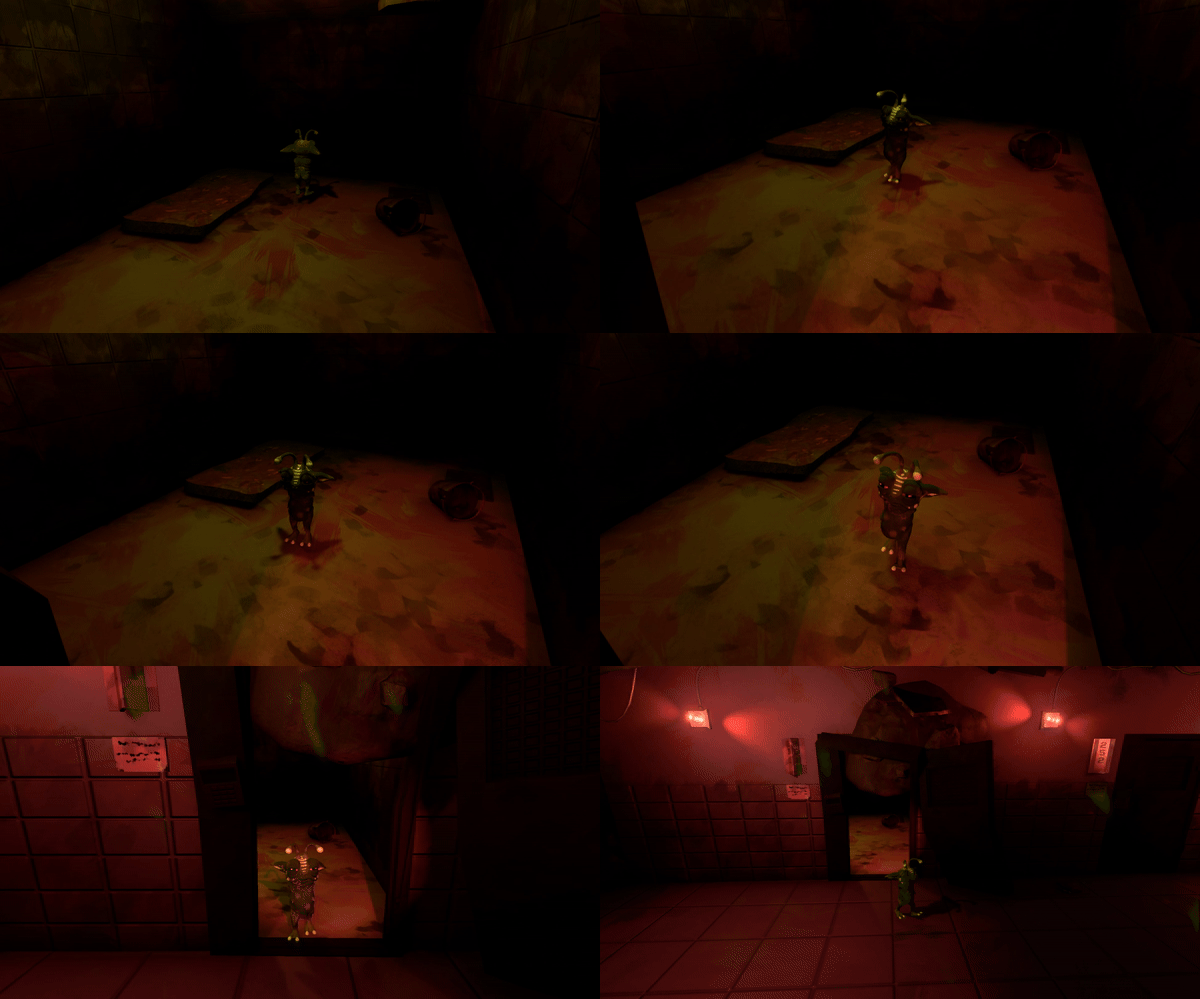
- Door Deactivation: Disables the door and activates a damaged door mesh for visual feedback.
- Audio Feedback: Plays a sound to enhance the impact of the event.
- Collider Management: Disables the collider after the event to prevent re-triggering.
- Camera Shake: The component Cinemachine Collision Impulse is used to add a camera shake effect to simulate the physical impact of the explosion. This enhances the player’s immersion by shaking the camera in response to the door’s destruction.
using UnityEngine;

// Class handling how the first cell door in section 1 breaks
public class DoorDamageScript : MonoBehaviour
{
    [SerializeField] GameObject door;
    [SerializeField] GameObject damagedDoorMesh;

    private void OnTriggerEnter(Collider col)
    {
        if (col.CompareTag("Player"))
        {
            GetComponent<AudioSource>().Play();
            door.SetActive(false);
            damagedDoorMesh.SetActive(true);
            GetComponent<BoxCollider>().enabled = false;
        }
    }
}